



Product
Simple QR label
QR label combining a scannable QR code with a short caption – turns any item or sign into a link to URL, menu, manual or contact.
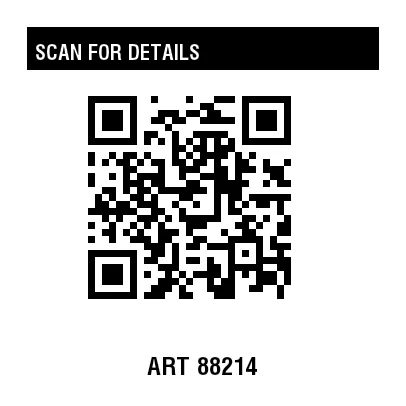
Rendered from this template's ZPL - exactly how the label leaves the printer. Click to enlarge.
ZPL code
^XA
^MD15
^PR5
^LL406
^PON
^PQ1,0,0,N
^MUd
^PW406
^MNY
^LH0,0
^PMN
^CI28
^BY,2,2,0
^FO27,27
^GB352,43,43,B
^FS
^FO35,38
^GB336,30,30,B
^FS
^FR
^FWN
^FO35,44
^A0,21
^FB336,1,6,L,
^FDSCAN FOR DETAILS
^FS
^FWN
^FO27,357
^A0,25
^FB352,1,6,C,
^FDART 88214
^FS
^FO88,94
^BQN,2,7,M
^FDA,https://zplcloud.com/p/ART-88214
^FS
^XZ
QR label combining a scannable QR code with a short caption – turns any item or sign into a link to URL, menu, manual or contact.
What is this label for?
QR labels connect physical and digital: a scan with your phone opens a website, a Wi-Fi access point, a payment link or product info. A generous quiet zone and good contrast - both covered by this template - keep the code easy to read.
What this template contains
- QR code (URL or text)
- Short title or call to action
- Optional reference / code
- Quiet zone for reliable scanning
When to use it
- Links to websites, menus or manuals
- Info labels for equipment and devices
- Marketing and packaging
- Wi-Fi, payment or contact links (vCard)
How to edit it in the editor
Open it in the visual editor, change text, sizes, fonts and barcodes by clicking on each element and export to ZPL, PNG or PDF.
FAQ
What can the QR contain?
Any text: a URL, plain text, Wi-Fi data, a vCard, geo-coordinates and more. Edit the QR data in the editor.
How large should the QR be?
Bigger is more reliable; keep a clear border (quiet zone) free. This template sizes it for typical phone scanning.
Can I combine QR and barcode?
Yes - add a 1D barcode element next to the QR in the editor if you need both.