



Zebra printers
Zebra QLn420: ZPL guide
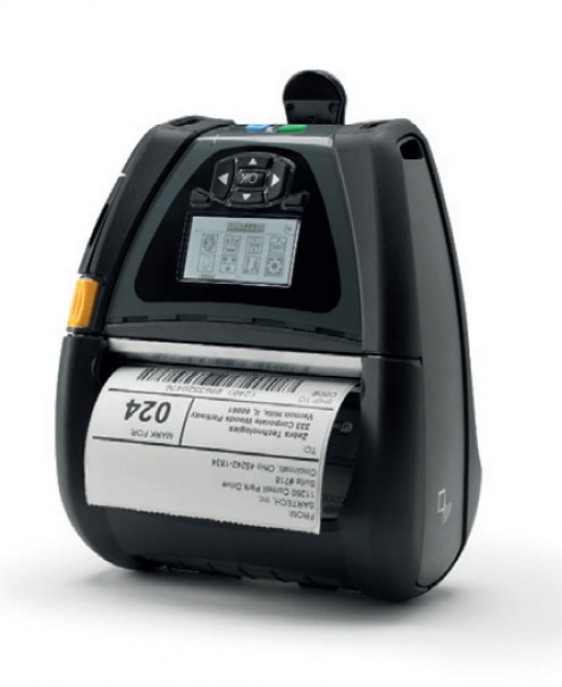
The Zebra QLn420 is a mobile printer. Here you will find the key specifications and a ready-to-use ZPL example.
Inquire about this Zebra printer
The Zebra QLn420 is a mobile printer. Here you will find the key specifications and a ready-to-use ZPL example.
Key specifications
| Model | Zebra QLn420 |
|---|---|
| Resolution | 203 DPI |
| Maximum print width | 104 mm (4.1") @ 203 DPI |
| Type | Mobile |
| Technology | Direct thermal |
| Print speed | 4 ips / 102 mm/s |
| Firmware / languages | ZPL II; CPCL |
| Connectivity | USB; Bluetooth (Wi-Fi optional) |
Designing labels for the Zebra QLn420
Create your ZPL by adjusting the DPI to the printer and choosing a width within the specified maximum. Preview it in the viewer to avoid clipping or wasted material.
| DPI | Maximum width | ^PW value |
|---|---|---|
| 203 DPI | 104 mm | ^PW831 |
^PW sets the printable width in dots. Use the value that matches the actual DPI of your printer.
^XA
^PW831
^LL812
^FO40,40^A0N,38,38^FDZebra QLn420 - 203 DPI^FS
^FO40,100^GB751,2,2^FS
^FO40,130^A0N,28,28^FD104 mm / 831 dots^FS
^XZ
Official source
Technical data from the Zebra QLn420 specification sheet.
Frequently asked questions
Can I preview my ZPL for the Zebra QLn420 without printing?
Yes. Paste your code into the ZPL viewer and set the Zebra QLn420's DPI to see the label exactly as printed.