



zplCloud Blog
zplCore Now Prints Through Zebra Nucleus
^XA^FDOne serial number. Any printer. Anywhere.^XZ
zplCore + Zebra Nucleus: label printing to any enrolled Zebra printer, without a route to it
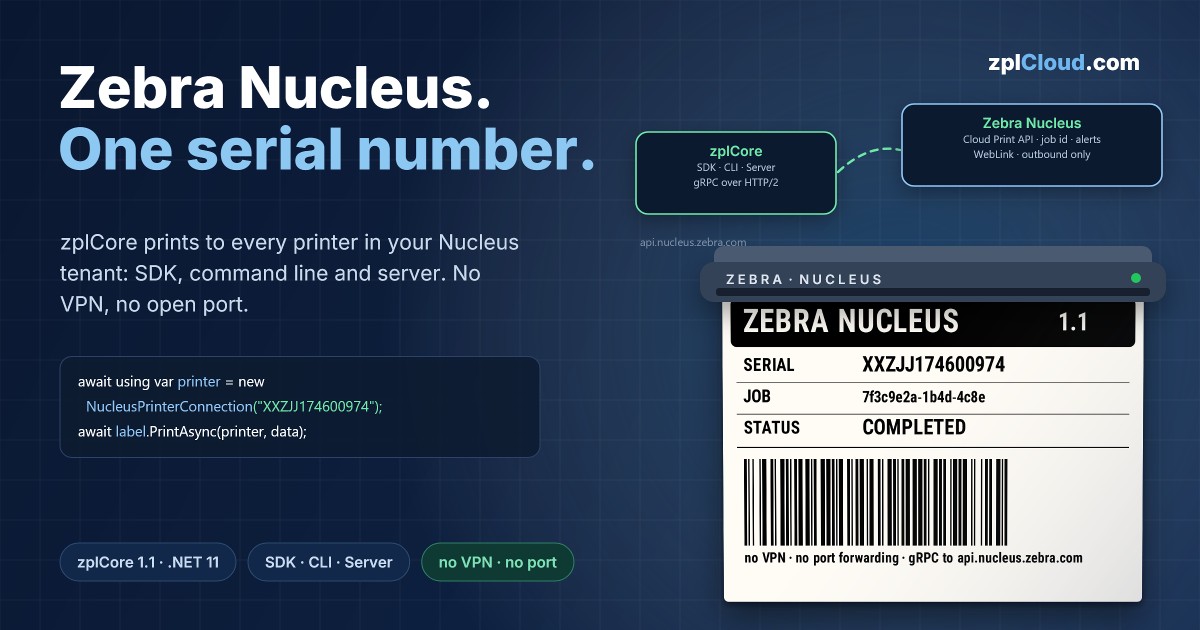
Zebra Nucleus is Zebra's cloud platform for managing printers, scanners and mobile computers. With the Zebra Cloud Print API, an add-on to Nucleus, applications can send print jobs to every printer enrolled in a Nucleus tenant – the printer keeps its own WebLink connection to Nucleus, so you need no VPN, no port forwarding and no network path from your server to the warehouse floor.
zplCore, the .NET label engine behind zplCloud.com, now speaks the Zebra Cloud Print API natively. zplCore 1.1 is out today: on NuGet for .NET 10 (LTS) and .NET 11, and as zplCore Server image zplcore/server:1.1.0 on Docker Hub.
As simple as any other printer
In zplCore, a Nucleus printer is just another IPrinterConnection. Labels, data binding, print jobs and bulk printing work unchanged – you address the printer by its serial number:
// token from ZEBRA_NUCLEUS_TOKEN (Nucleus: Developer → API Tokens)
await using var printer = new NucleusPrinterConnection("XXZJJ174600974");
await label.For<Shipment>().PrintAsync(printer, shipments);
Behind the scenes, zplCore talks gRPC over HTTP/2 to api.nucleus.zebra.com – built into ZplCore.dll, with no extra packages and NativeAOT-compatible.
Built for production, not for demos
- Job id and alerts: every print returns the Nucleus job id and the printer's current alerts ("Paper out", "Head open" …). Wait for
COMPLETED, check the status or cancel a pending job. - Never printed twice: zplCore repeats a call only when no connection to Nucleus could be opened. If the outcome is unknown, it reports it instead of resending.
- Clear errors: expired token, wrong tenant, unknown serial number, no licence, used-up free calls – each one is its own error kind, and the token never appears in a message.
- Schema from Zebra's own proto bundle: the message definitions follow Zebra's published
nucleus-apis-v1contract, checked field by field in the tests.
Command line and server, too
zplcore print label.zpl --nucleus XXZJJ174600974 --token-file token.txt --wait
zplCore Server gets a new printer type. Your ERP or WMS keeps posting templates and data to the REST API – the server renders the labels and hands them to Nucleus:
printers:
  store-hamburg:
    type: zebracloud
    serial: XXZJJ174600974
    tokenFile: /run/secrets/zebra-nucleus
    waitForCompletion: true
  stores:
    type: zebracloud
    serials: [ "XXZJJ1746*", "50J2042*" ]   # allow-list, one entry for many printers
    tokenFile: /run/secrets/zebra-nucleus
With serials, one entry serves a whole fleet: the request names the printer at runtime (POST /v1/print/stores?serial=XXZJJ174600974), and the server only prints to serial numbers on the allow-list (* patterns allowed). New stores need no server restart.
The job status shows the Nucleus job id, its status and the printer's alerts, and the printer twin still checks every label against the printer model before anything is sent.
Tested on real hardware
We printed our first labels on a Zebra printer enrolled in a Nucleus tenant – from the command line and from zplCore Server running in Docker, single labels and batches – and Nucleus reported every job as COMPLETED. Automated tests run against a local fake of the Nucleus API, never against Zebra's production service.
Getting started
1. Enroll your printer in Zebra Nucleus (Zebra Nucleus Connector app) and note its serial number.
2. Create an API token in Nucleus (Developer → API Tokens).
3. Print with zplCore – SDK (dotnet add package ZplCore), command line (dotnet tool install -g ZplCore.Cli) or server (docker run zplcore/server:1.1.0).
The Zebra Cloud Print API is a Zebra add-on to Zebra Nucleus (licensed per printer; a tenant can test with a small number of free calls per day). Details and the full API: zplCore documentation – Zebra Nucleus and zplCore Server – Zebra Nucleus printers.
Zebra, Nucleus and Link-OS are trademarks of Zebra Technologies Corp.